
Learn a language calmly, every day
Paste a YouTube link — your cards are ready. The same with podcasts, articles and books.
English · German · French · Spanish Portuguese: coming soon
A look inside
Eight screens from the app. Swipe through.
-
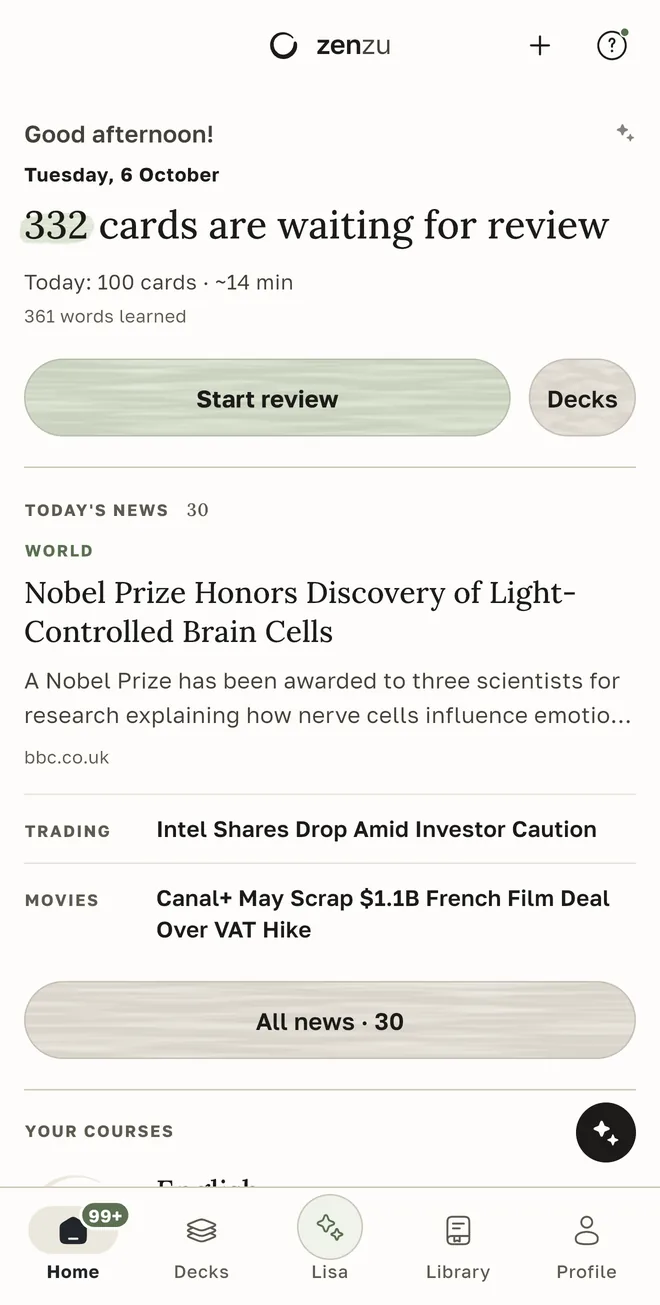
01 Your day
Cards due for review, today's news and your next lesson on one screen.
-
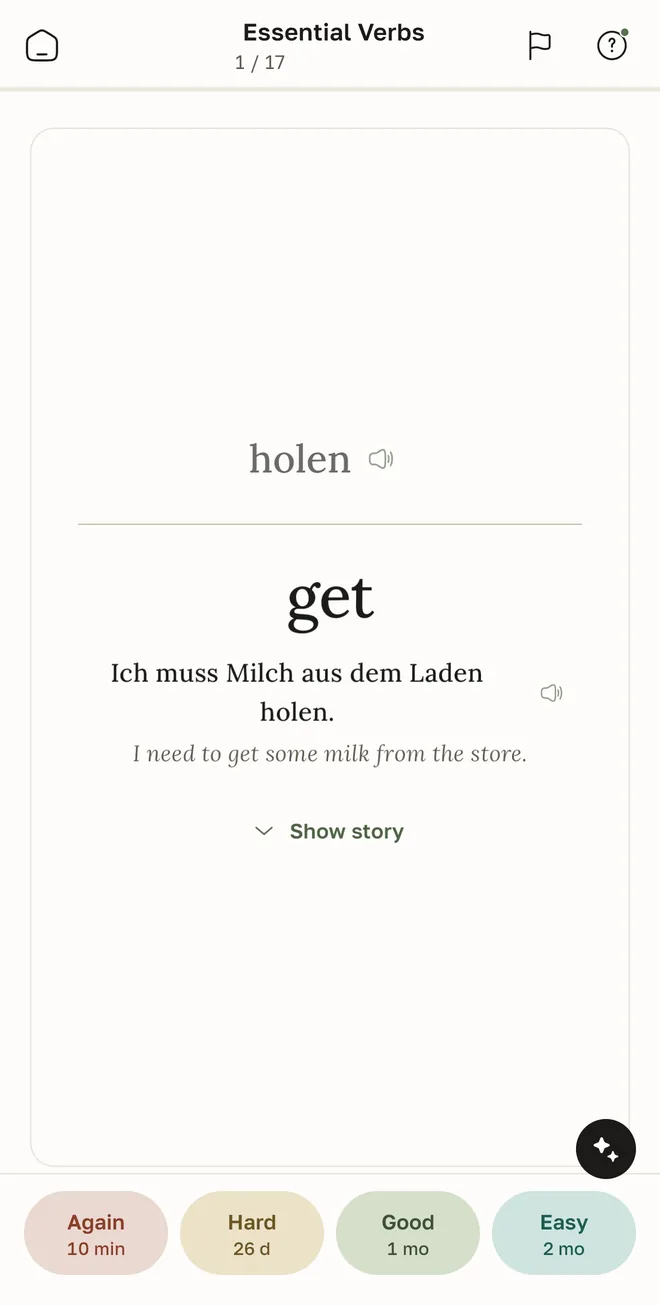
02 Review
One card at a time, with an example sentence. Rate how well you knew it, and the scheduler picks the day of the next review.
-
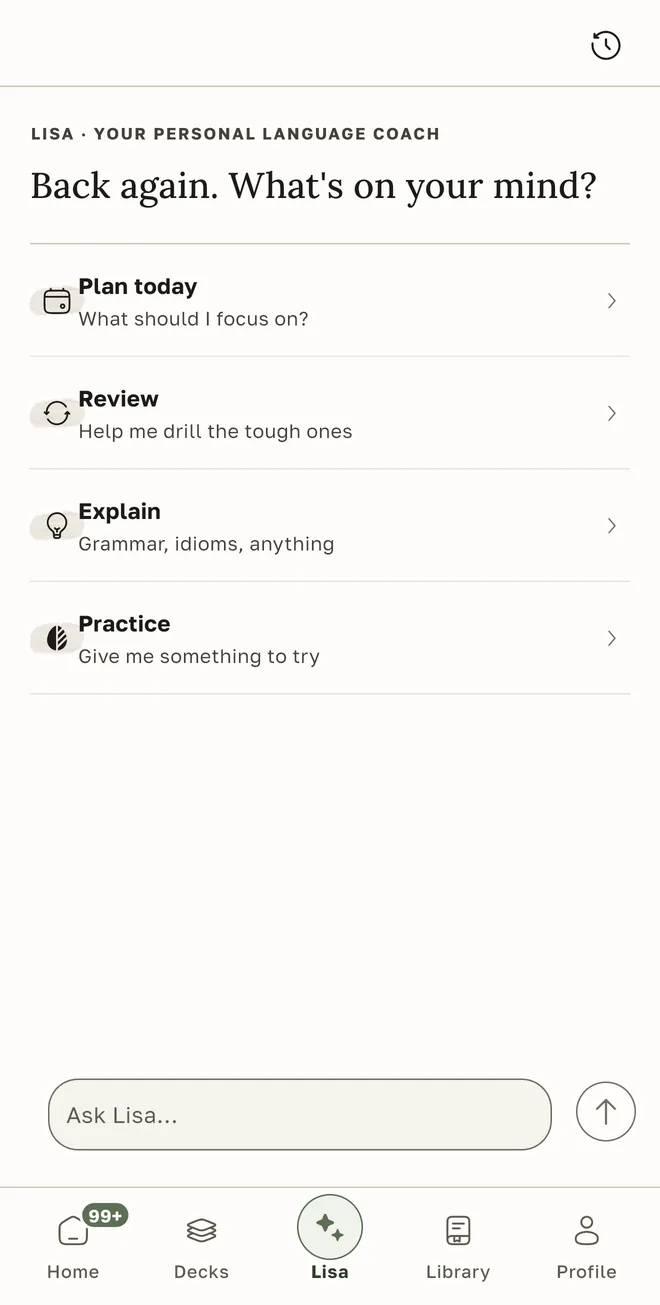
03 Lisa, your coach
Plan the day, drill weak words or ask about grammar, in your own language.
-
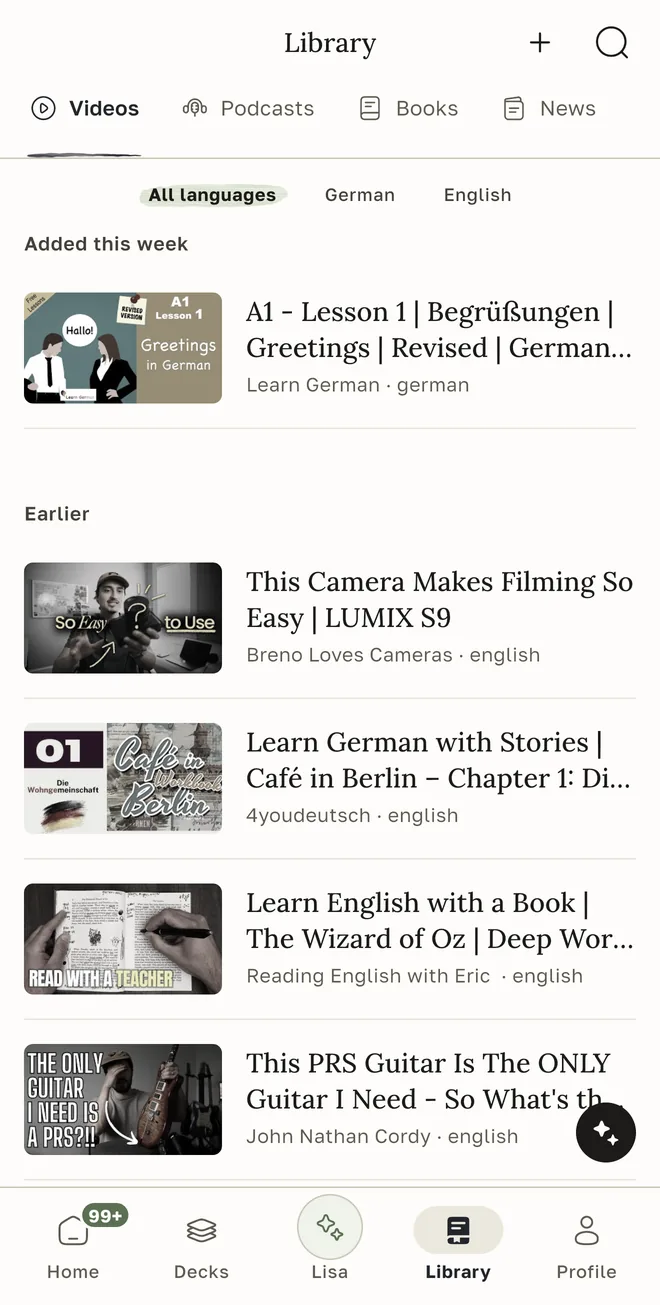
04 YouTube videos
Watch with a live transcript. Replay a sentence or slow it down.
-
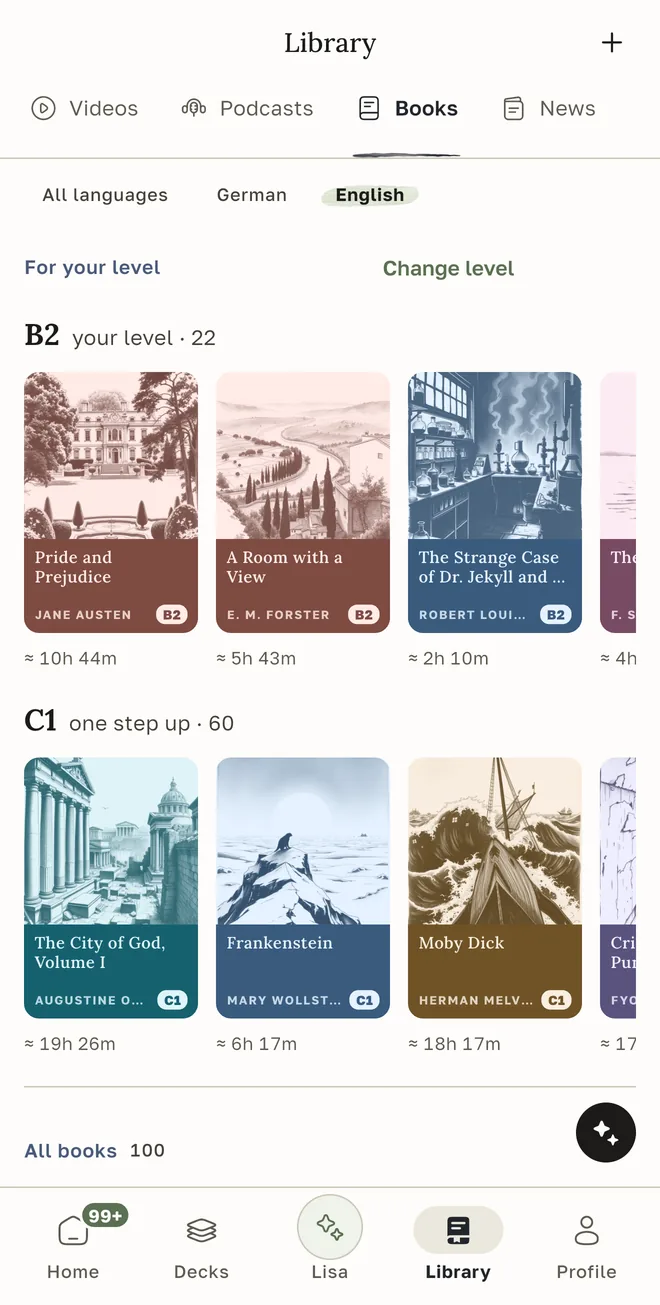
05 Books
Graded stories for your level, by genre, and classics when you are ready.
-
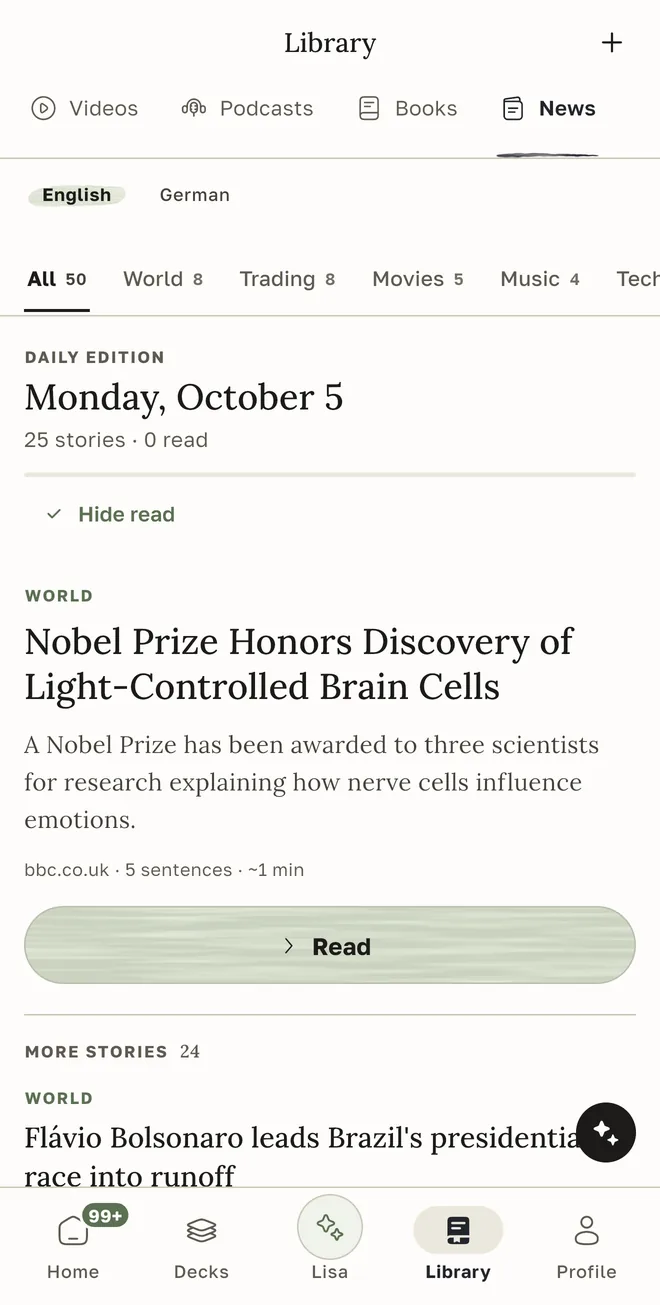
06 Daily news
A fresh edition every day, written for learners.
-
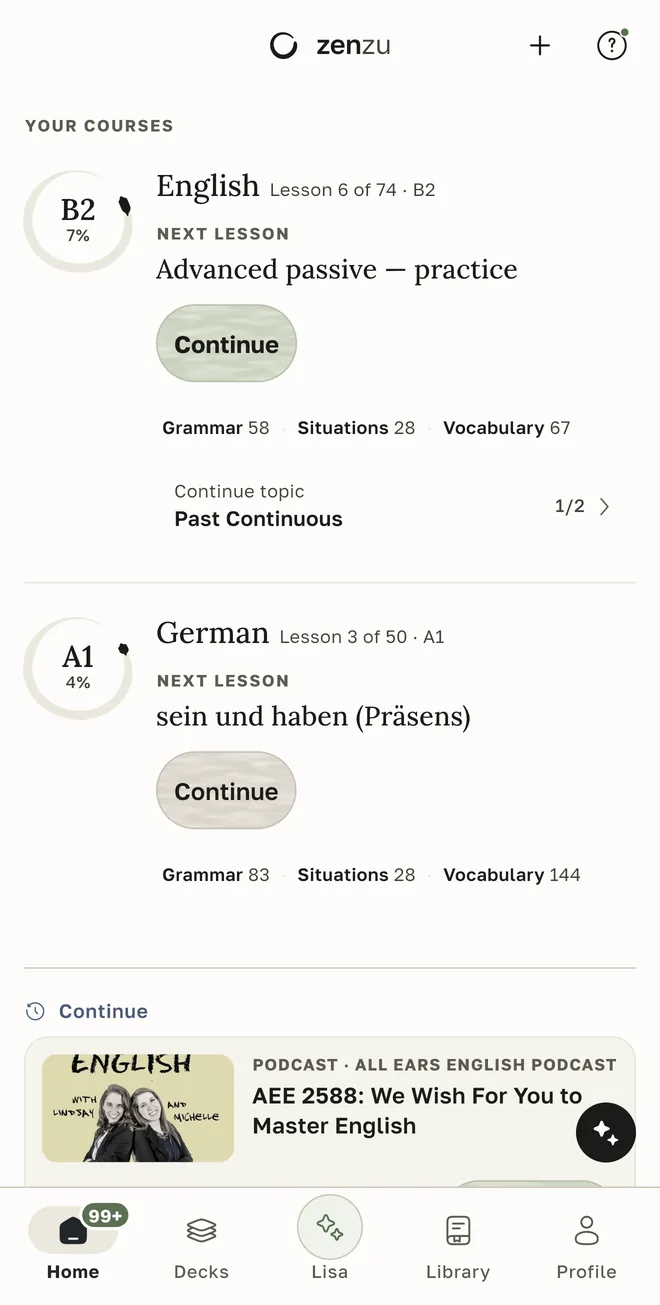
07 AI courses
A1 to C1, lesson by lesson. A bookmark keeps your place.
-
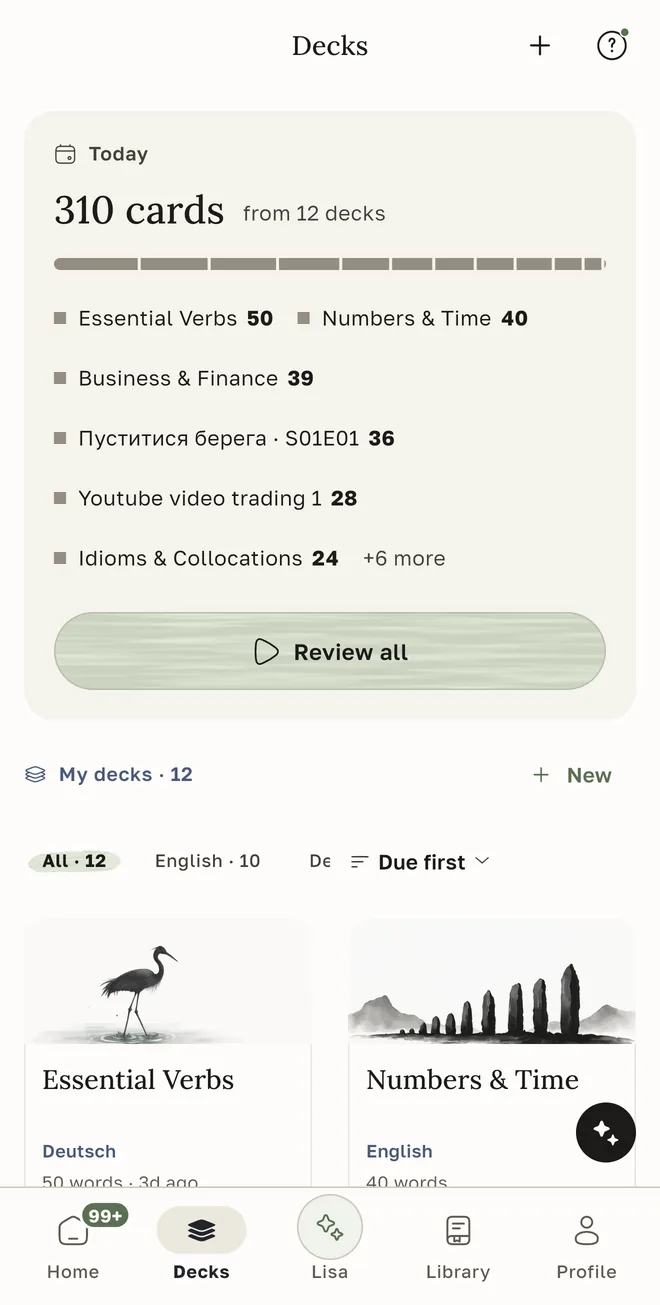
08 Decks
Every card due today in one review, plus a ready-made catalog and decks for films and series.
Three steps: from a video to a word you remember
Real content. Science-backed repetition. Vocabulary that actually sticks.
Import content you enjoy
Paste a YouTube link, search for a podcast, or snap a photo of text. Zenzu handles the rest.
Tap words or select phrases
See instant translations. Lisa shows context, examples, and pronunciation. Phrases save as cloze cards: the sentence with a gap where the phrase was.
Review with spaced repetition
FSRS-6 is a scheduler that picks the day to review each card. It brings a card back just before you would forget it, so every minute you invest counts.
Everything you need to learn
One app for all your language learning content. Import what you love, learn what matters.
Lisa, Your AI Coach
Ask Lisa for study plans, word explanations, or daily reviews. She replies in your language: English, Ukrainian, German, Spanish, French, or Portuguese.
MoreLess: Lisa, Your AI Coach
What you get Ask Lisa what a word means, why a sentence is built the way it is, or what to study today. You can also talk with her about a topic you choose. After the talk, you see your mistakes with the correct forms.
How it works Before she answers, Lisa looks at your level, your progress, your due cards and your decks. When you ask her to save words or create a deck, she shows a proposal, and nothing changes until you confirm it. Between sessions she keeps short notes about you; you can read and delete them in Settings.
Good to know Lisa replies in your interface language: English, Ukrainian, German, Spanish, French or Portuguese. If you ask, she changes to another language.
YouTube Videos
Watch with a live transcript. Tap a word or select a phrase, and Zenzu saves it as a card with full sentence context and pronunciation audio.
MoreLess: YouTube Videos
What you get Watch a YouTube video with its transcript under the player. The line being spoken is highlighted, and the transcript scrolls to keep it in view. Tap a word to see its translation, then save the word, a phrase or the whole sentence as a card.
How it works Zenzu loads a transcript of the video in the language you learn, usually the captions the video already has. Each card keeps the sentence it came from and its translation, and “Open at source” takes you back to that moment in the video. You can repeat one sentence in a loop and change the playback speed.
Good to know To tap and save words, you need a transcript in the language you learn; when Zenzu cannot load one, no transcript is shown, only a message that no subtitles were found. Videos whose owner has turned off playback on other sites cannot play in Zenzu.
Podcasts
AI-transcribed episodes you can read while you listen. Select any phrase to capture it as a card with pronunciation on every word.
MoreLess: Podcasts
What you get Read the transcript of an episode while you listen. Tap a word, a phrase or a sentence to see the translation and save it as a card.
How it works Find a show in the Apple Podcasts directory and subscribe; new episodes come from the show's feed. Zenzu transcribes an episode with speech recognition: each word gets a time stamp, and the spoken language is detected automatically.
Good to know Episodes longer than three hours are not transcribed.
Starter Decks
Hand-curated decks from A1 to C1: everyday essentials, business, academic, science, idioms, and more. Deck names adapt to your interface language.
MoreLess: Starter Decks
What you get Start with ready decks of everyday words and phrases, from A1 to C1: food, travel, work, feelings, idioms, business and science. Every card has an example sentence, so you see the word in context from the first review.
How it works In most decks, each card exists in nine languages: English, German, Spanish, French, Portuguese, Ukrainian, Japanese, Korean and Chinese. The front is in the language you learn and the back is in your native language; if your native language is not on this list, the backs are translated when you add the deck. You can filter the catalog by language and level.
Good to know Some decks are made for particular languages, such as the irregular-verb tables or the false-friend decks for English and German; their cards come in fewer languages. Deck names show in your interface language.
AI Courses
Grammar and vocabulary lessons for English, German, French, and Spanish, prepared in advance and sorted by CEFR level, from A1 (beginner) to C1 (advanced).
MoreLess: AI Courses
What you get Work through grammar and vocabulary lessons for English, German, French or Spanish, level by level from A1, up to C1 where the lessons are ready. A lesson appears only when a version for your language is ready; the German, French and Spanish courses also use the English version. So for now some language pairs have only part of the lessons, or none yet. Words from a lesson can go into your decks for review.
How it works A lesson has stages such as new words, grammar, a dialogue and a recap, each with exercises: multiple choice, gap fill, matching, sentence building and dictation. Later lessons bring back earlier words with their translation. A short placement test sets your level; all levels up to it are open, and without the test you start at A1.
Good to know In the German, French and Spanish courses, explanations come in English when your language has no version. Lessons are prepared in advance; they are not generated for each learner.
FSRS-6 Spaced Repetition
Science-backed algorithm schedules reviews at the optimal time. Remember words forever.
MoreLess: FSRS-6 Spaced Repetition
What you get Each day you see the cards that are due, not the whole deck. Cards you know well come back less often, and cards you forget come back sooner.
How it works After each card you rate how well you recalled it: Again, Hard, Good or Easy. FSRS-6 keeps a stability value and a difficulty value for each card and sets the next review date from them; each button shows the interval it will give. Recognition (word to meaning) and production (meaning to word) have separate schedules.
Good to know The schedule aims to show a card when your chance of recalling it drops to about 90%. Zenzu uses the default parameters of the open-source FSRS-6 algorithm.
Import from Anywhere
Text, photos, articles: paste or snap anything. AI extracts vocabulary at the level of your deck.
MoreLess: Import from Anywhere
What you get Paste a text or a link to an article, or take up to four photos of one page: a book, a menu, a sign or handwritten notes. Zenzu finds words that match the level of the deck you import into and shows them as a list. You choose which ones become cards.
How it works Each word comes with the sentence it stood in, copied from the source, and a translation of that sentence into your native language; when the source has no full sentence, such as a menu or a sign, Zenzu writes a short example instead. Each word is marked with its level; at first the list shows only the deck's level and higher, and you can add the lower levels. If the deck has no single level, Zenzu picks intermediate and advanced words and shows every level.
Good to know If you learn several languages, the text itself decides which language the words belong to. On iOS, you can share text and links from other apps to the Zenzu inbox and import them later.
Also: the app in 6 interface languages · cloud voice for every word and sentence
For those who take language seriously
Zenzu is a serious tool, not a toy: no cute mascots, no game to win. It is for people who want to own their progress and their data.
Zenzu is for you if…
- You believe real fluency comes from engaging with authentic content
- You're committed to daily review, even on hard days
- You have ambitious goals: reading a novel, working, or living in another language
- You want tools that respect your memory, not just your screen time
- You want your words, cards and progress to stay yours and reachable from your own AI agents through MCP
It's not for you if…
- You're looking for a game with streaks and virtual trophies
- You expect to speak fluently after a few casual sessions
- You need gamification to stay motivated
Why Zenzu
Zen, plus zu: towards calm.
Say it ZEN-zu · /ˈzɛn.zu/
Zen is calm. Zu is German for "to" or "towards". Together the name means towards calm.
Everyone knows this feeling. You stand at a counter, at the doctor's or in an office, and you can't explain what you need. You don't understand the answer. Your face burns, a hot restlessness rises inside, and the simplest errand turns into an ordeal.
When you know the language, that restlessness goes away. You calmly book a doctor, sort things out with your landlord, answer an email and understand what people tell you. The language gives you back your calm in everyday life.
The way there is not a frantic race, but a little practice every day. Each word you learn takes root like a tree in your grove.
Grow your language — and your calm.
Available now
Your data, wherever you work.
Zenzu has its own MCP (Model Context Protocol) server: connect Claude, Cursor or another assistant that supports MCP, and it can read your decks, cards and progress. If you allow it, it can also add, edit and delete cards and record your reviews.
- Needs “Allow writes”
Paste a text or an article. The assistant picks the most useful words for your level and saves them as cards in a deck.
- Needs “Allow writes”
Review your due cards in the chat. The assistant asks one card at a time and records each answer with the same FSRS-6 scheduler as the app.
-
Find the words you mix up. The assistant sees which cards you confuse with each other and which ones you keep forgetting.
Questions, answered
What is Zenzu?
Zenzu is a language learning app for learning from real content. You import YouTube videos, podcasts, articles or photos of text, tap any word or phrase to save it as a flashcard with its original sentence and pronunciation audio, and review it with FSRS-6 spaced repetition. Lisa, the built-in AI coach, explains words and plans your study in your own language.
Which languages can I learn with Zenzu?
English, German, French and Spanish. Portuguese is coming soon. The app interface and the AI coach work in English, Ukrainian, German, French, Spanish and Portuguese.
Which devices does Zenzu run on?
iPhone and iPad with iOS 15 or later, Android phones and tablets through Google Play, and any modern web browser at app.zenzu.app.
Is there an Android version?
Yes. Zenzu for Android is available on Google Play.
How is Zenzu different from Anki?
Both use FSRS spaced repetition, but in Anki you build cards yourself. Zenzu builds them from the content you are already watching, listening to or reading: every card keeps the sentence it came from and comes with audio for every word and sentence, so vocabulary is always learned in context.
Do I need to know English to use Zenzu?
No. You can use Zenzu entirely in Ukrainian, German, French, Spanish or Portuguese, so explanations, translations and coaching arrive in the language you think in.
What spaced repetition algorithm does Zenzu use?
FSRS-6, a modern open-source scheduler trained on large amounts of real review data. It predicts when you are about to forget each card and schedules the review right before that moment.